Post Your Round to Instagram Stories in One Tap
The share button is not a screenshot helper. It builds a 9:16 story and opens Instagram ready to post.

Instagram Stories punish screenshots. A square card floats in the middle of a 9:16 frame with black bars, or you pinch until the battery icon is still somehow visible. golfity skips that fight. Tap Instagram under the post-round deck and the app re-renders the card you are looking at at 1080×1920, then opens the Stories composer with that image already full-bleed.
No crop. No status bar. No “hold to focus.”
From the carousel to Stories
Save a round and you land on the post-round carousel. Swipe to the card that tells the day — summary, scorecard, strokes gained, score trend, insights, or the coach’s note if you have Pro. The share row under the dots includes Instagram as a first-class button.
 Instagram is not buried in the system sheet. It is one of the four buttons under the deck.
Tap it and golfity builds the story-sized export of that card. WhatsApp and X get the standard card plus a prefilled line with score and course. Instagram gets the tall frame because Stories is where round cards actually get seen.
What the story looks like
The summary card is the default flex: score, to-par, fairways and greens, putts — readable at thumb size in a friend’s feed.
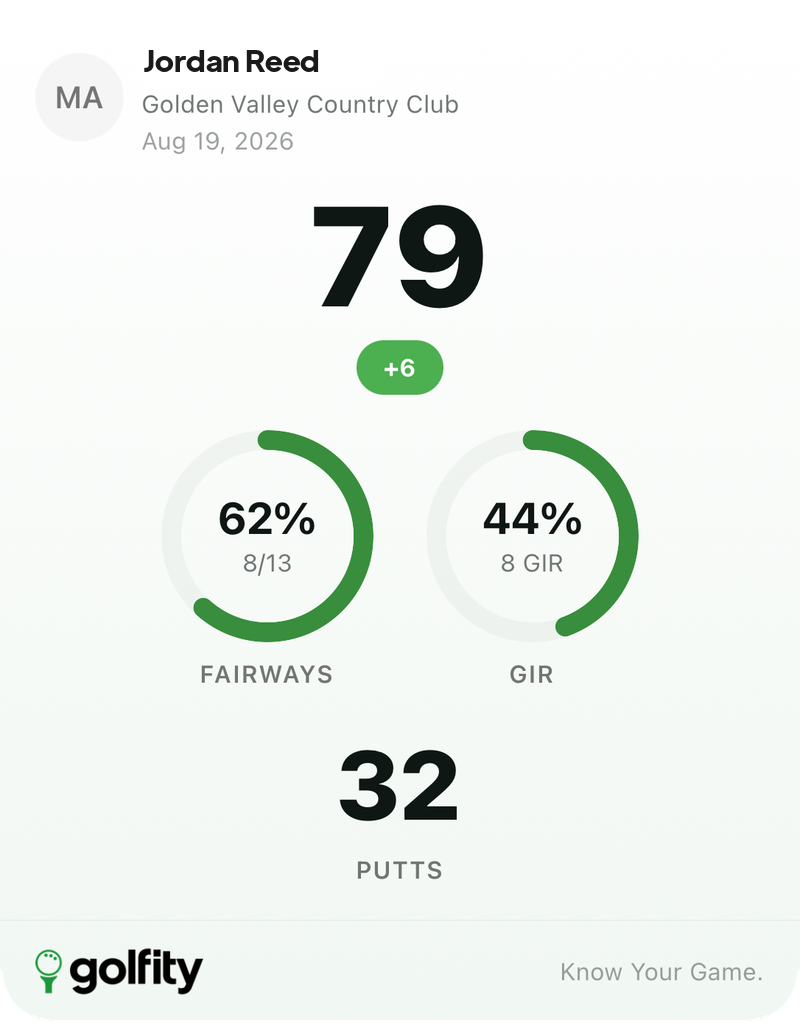 Already 9:16-ready. The Stories composer does not ask you to pinch anything.
Want the diagnostic flex instead? Swipe to strokes gained before you tap Instagram and the story carries the four-category breakdown.
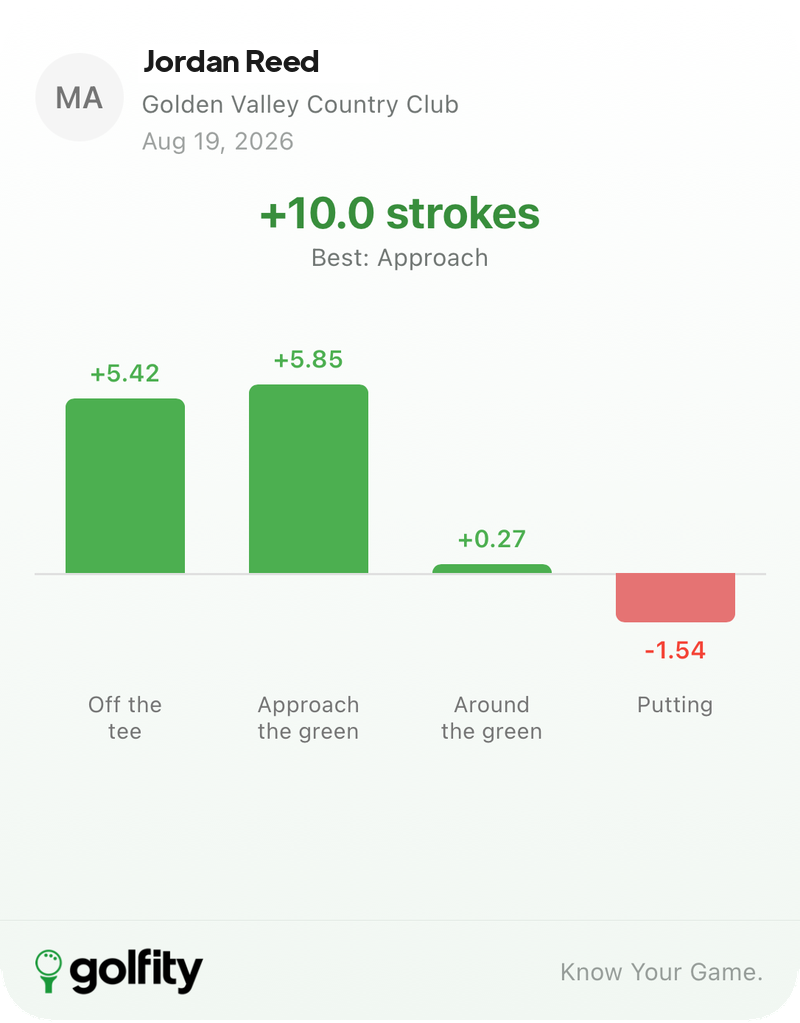 Same round, different claim: not just the number, where the strokes went.
Scorecard, score trend and insights export the same way. Each card keeps your name, course, date and the golfity mark, so the story still reads if someone watches it without sound or caption.
Why this is the growth loop
Golfers already post rounds. They just post bad photos of paper cards. A clean story card is the version a stranger can read in half a second — and the version that makes golfity obvious without a hard sell. Every share is a demo of the product wearing the player’s name.
You can also reopen the deck from any past round and send last month’s best card to Stories when the algorithm (or your group chat) asks. The export path is the same: pick the card, tap Instagram, post.
If Instagram is not installed, the button falls back to the system share sheet instead of failing. The full share-cards guide covers WhatsApp, X and saving to Photos. This post is only about the Stories path — because that is the one that used to need a screenshot editor, and now does not.