Read Your Round in Seconds: golfity's Post-Round Summary Carousel
The second you save, golfity builds a deck of cards for that round. Swipe once and you already know what the day was about.

Most golf apps end a round the same way a paper card does: you write the last number, put the pencil away, and the useful part is over. golfity does the opposite. The moment you tap save, confetti drops and a horizontal deck of cards opens — each one a different cut of the round you just played.
That deck is the post-round summary carousel. It is not a settings screen and it is not a dump of every chart in the app. It is the short walk from “I finished” to “I know what happened,” before you start rewriting the round in the parking lot.
What lands when you save
You finish in any input mode — totals, hole-by-hole, or shot-by-shot — and golfity takes you straight to the carousel. Dots under the cards show how many slides you have. Share buttons sit underneath so whichever card you are looking at is the one that can go out.
The first stop is usually the summary: score, to-par pill, fairways and greens as rings, putts if you tracked them.
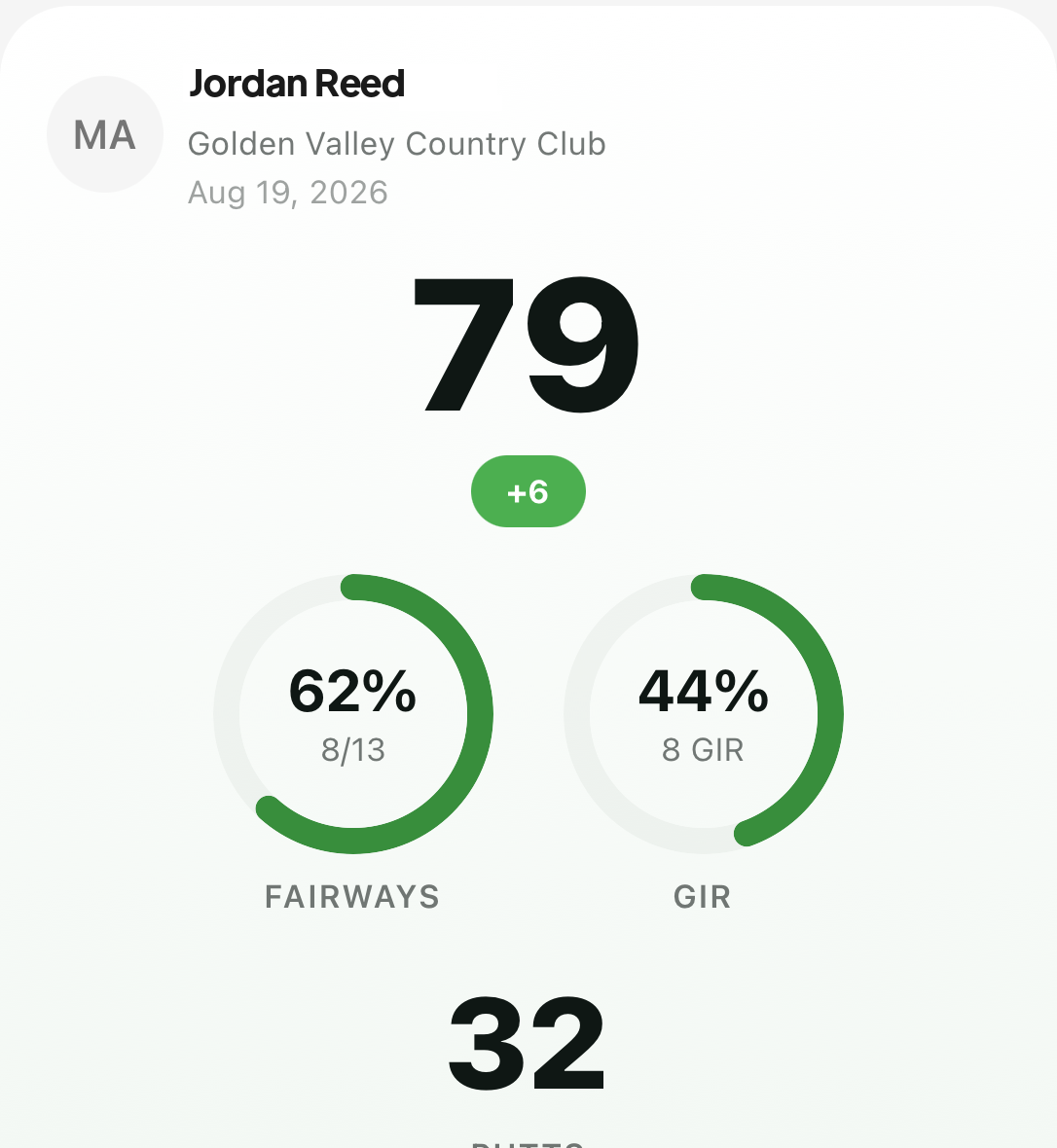 Score first, then the rings that make the same 79 mean two different days.
Swipe and the scorecard appears — hole by hole, with putts when you logged them. Another swipe and, if you have enough history, your score trend places this round on the line of recent totals. Shot-by-shot rounds unlock the strokes gained slide. Pro rounds can add the coach’s note. Free rounds still get automatic insights when the outliers are clear.
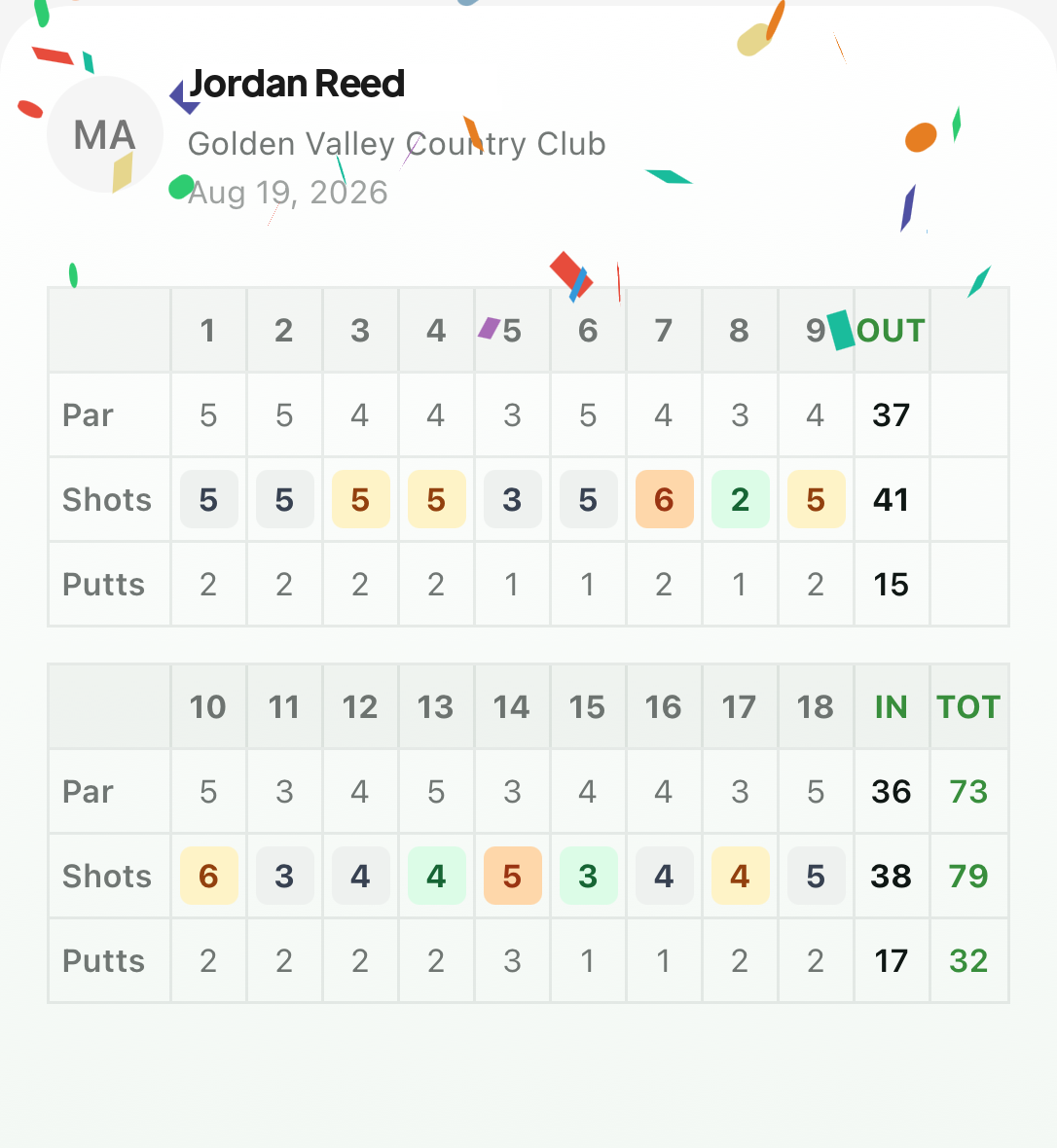 The scorecard slide is the card you send when someone only asked what you shot.
Cards you did not earn simply do not show up. A totals-only round will not invent a strokes gained chart. A first-ever round will not invent a trend. The deck stays honest about how deep you tracked.
The slides that change what you practise
The summary and scorecard answer the social question. The next slides answer the practice question.
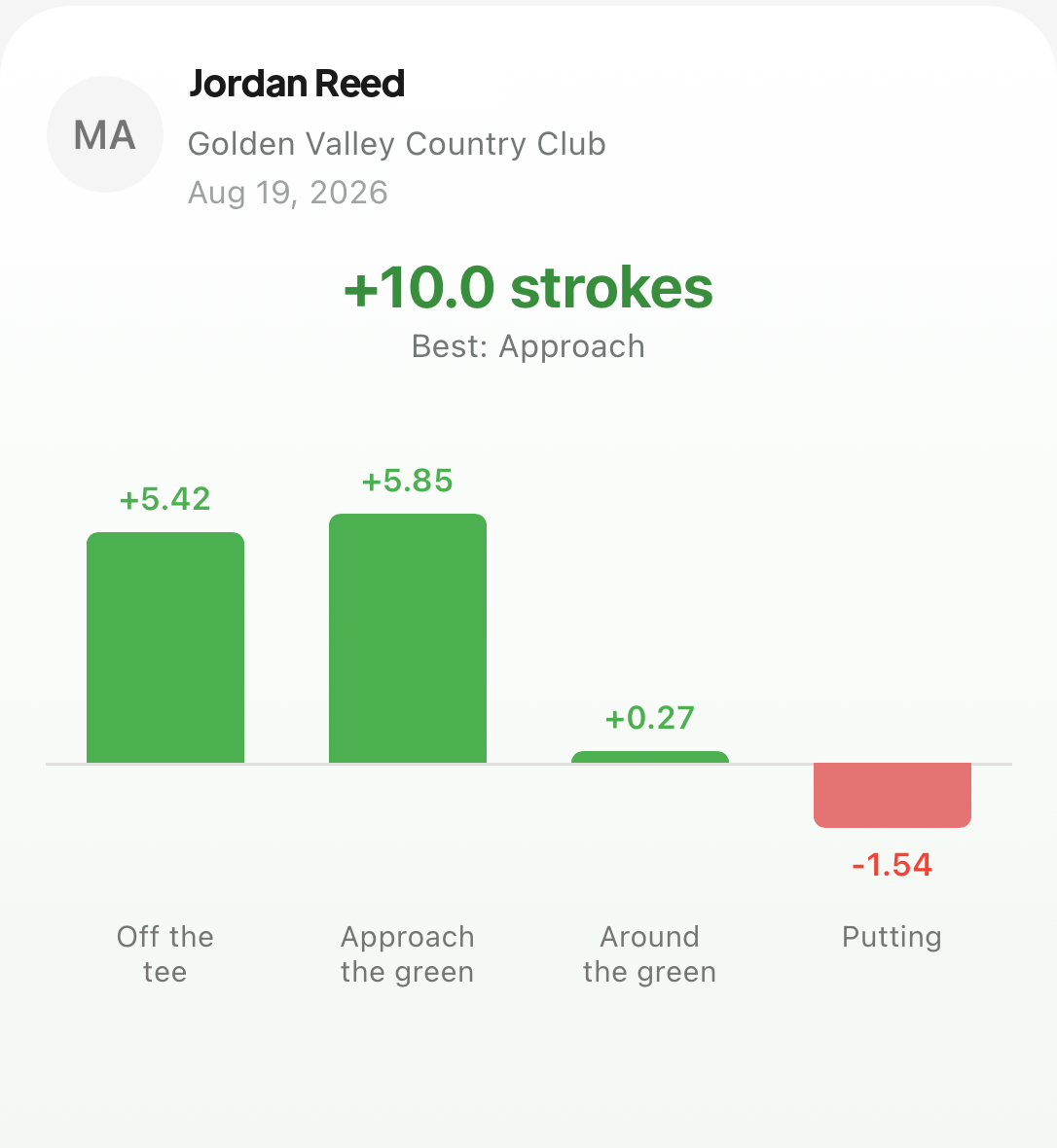 Four bars, one round. The red one is the session for Tuesday — not whatever felt worst on the 12th.
Strokes gained on the carousel is the same breakdown you will see later in Round stats, compressed so you can read it while the bag is still in the boot. Insights sit beside it as the short list: what ran hot against your own baseline, and what leaked.
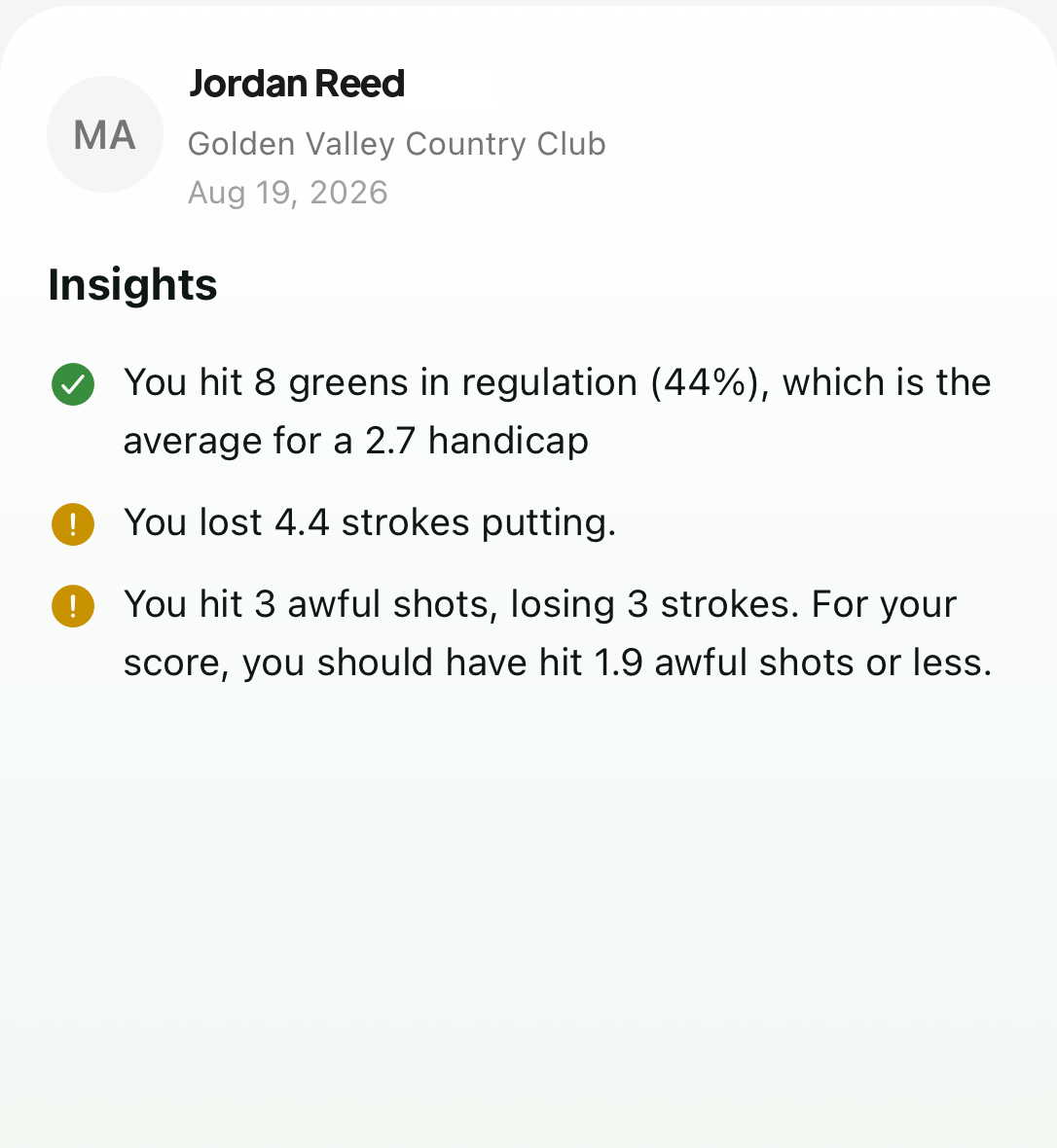 Insights are the two or three flags. The carousel is where you see them before the day goes cold.
Together they do the job the old “how was it?” conversation never did. You leave with one practice item instead of a vague sense that short game was messy.
Same deck later, not only in the moment
The carousel is not a ten-second reward that disappears. Open any past round and you can get back into the same deck — cards, share row, dots — from the round header. Useful when a playing partner asks for the card a week later, or when you want the strokes gained slide without digging through tabs.
If you want the deeper page-by-page read inside Round stats — scoring distributions, putting tables, the color-coded SG scorecard — that guide is separate: how to read your round summary. The carousel is the front door. The tabs are the house.
Why the order matters
golfity puts the human-readable cards first and the diagnostic ones after on purpose. You get the number and the rings before the bars ask for attention. That matches how you actually think walking off 18: first “what did I shoot,” then “why.”
Save the round. Swipe the deck once. Take the one red bar or the one insight with you to the range. The rest of golfity’s tracking features are there when you want to dig; the carousel is there so you do not have to dig just to know what the day was.