Track Your Golf Rounds in Under 2 Minutes with golfity
You do not need ten minutes of data entry to track a round. Here is how fast entry in golfity logs a full 18 holes in under two minutes.

Most golfers quit tracking their stats for one reason: it feels like homework. You finish a round, you are tired, and the last thing you want is to tap through twenty screens. quick golf tracking solves that. With golfity you can log a full 18-hole round in under two minutes, and you still walk away with strokes gained categories and handicap trends.
Here is exactly how fast entry works and where the two minutes actually go.
Quick Golf Tracking Starts with the Right Input Method
golfity gives you three ways to track a round, and two of them are built for speed.
Total score entry is the fastest. You type your final number for 9 or 18 holes, add optional putts and fairways, and you are done. This takes about 30 seconds and is perfect for entering a round after you already left the course.
Hole-by-hole entry takes a little longer but gives you real per-hole data. You tap a score for each hole, and golfity moves to the next one automatically. Eighteen taps, plus a few seconds for putts if you want them, lands you right around the two-minute mark.
Both methods feed your scoring history, handicap trends, and the stats you can share with friends.
Where the Two Minutes Go
Here is a realistic hole-by-hole entry for 18 holes:
- Course selection and tees: ~15 seconds (golfity remembers your recent courses)
- 18 hole scores: ~60 seconds at roughly 3 seconds per hole
- Putts per hole: ~30 seconds if you add them
- Save and review: ~10 seconds
That is under two minutes for a complete round with putting data. Skip the putts and you are closer to 90 seconds. Use total score entry and you are done in half a minute.
You Still Get Strokes Gained
Speed does not mean you give up the analytics that matter. Even with quick entry, golfity can produce strokes gained numbers from limited data, because it compares your score and basic stats against the benchmark you choose.
The trade-off is detail. Hole-by-hole entry gives you scoring, GIR, fairways, and putting trends. If you want full shot-by-shot strokes gained broken down by off-the-tee, approach, around-the-green, and putting, you record where each shot lands. That deeper method adds 10 to 15 seconds per shot during the round, not after it.
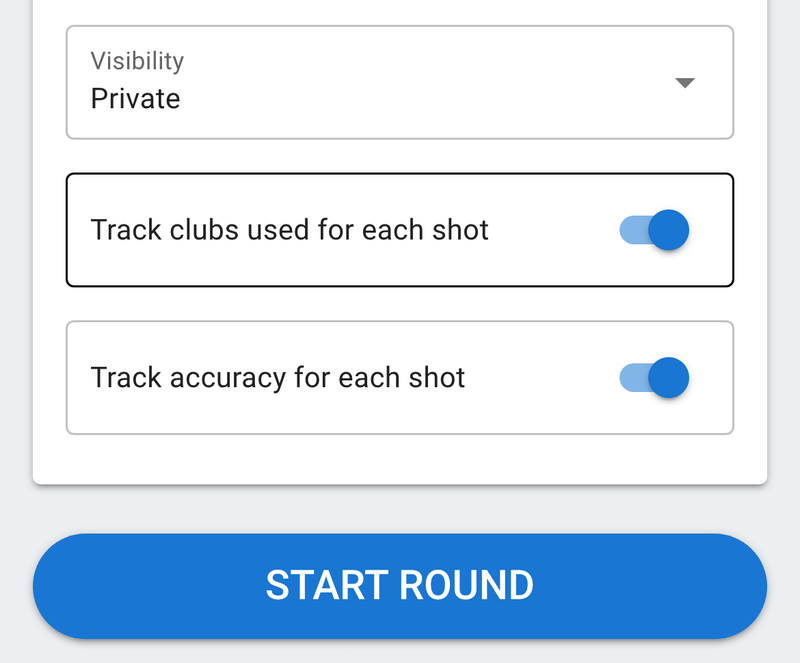
For golfers who want the analytics without the shot-by-shot work, golfity also lets you skip club selection and accuracy tracking while still mapping shot locations.
Quick Entry for Busy Rounds
Fast tracking is not only about saving time at the keyboard. It is about keeping pace on the course. A few situations where speed wins:
- A casual weekend game where nobody wants to wait on the tee box
- A quick nine before the light goes
- A blow-up hole you would rather record and move past instead of dwelling on what it cost you
- Old rounds you want in your history so your handicap reflects reality
You can switch methods round to round. Track shot by shot during a Tuesday practice round, then drop to hole-by-hole for Saturday with friends. The data still accumulates in one place.
Make Fast Tracking a Habit
The golfers who improve are the ones who actually track, not the ones with the most detailed single round. Two minutes after each round builds a data set that shows you where your strokes are going.
Download golfity and log your next round with quick entry. When you want the full picture, switch to shot-by-shot tracking and let the strokes gained calculator show you the value of every shot.