Offline Golf Score Tracking: What Works When You Have No Signal
Plenty of good courses sit in dead zones. Here is exactly what golfity keeps working when your phone has no bars, what gets saved locally, and what waits until you are back online.

Some of the best courses you will ever play sit in cell dead zones. Tree-lined valleys, coastal links, rural tracks an hour from the nearest tower. If your scoring app needs a connection to do anything, those are the rounds you lose. Good offline golf score tracking should let you play the whole round with your phone in airplane mode and lose nothing.
That is the bar golfity is built to clear. Here is exactly what keeps working without a signal, what gets saved on your phone, and the one or two things that wait until you are back online.
What offline golf score tracking should actually cover
The test is simple: can you start a round, enter every hole, and put your phone away on the 18th green without ever seeing a connection? If the answer is no, the app is really an online app that happens to open when offline.
A golf round produces a lot of small decisions, shot after shot, hole after hole. Some of that is a single number per hole. Some of it is club, lie, distance, and result for every swing. None of it should depend on whether you have bars when you tap save.
Everything you enter stays on your phone
When you track a round in golfity, the scorecard lives on your device, not on the server. Every score, putt count, fairway, and shot you log is written to local storage the moment you enter it. There is no round-in-progress sitting on a server waiting for your inputs to arrive.
That means a few things in practice:
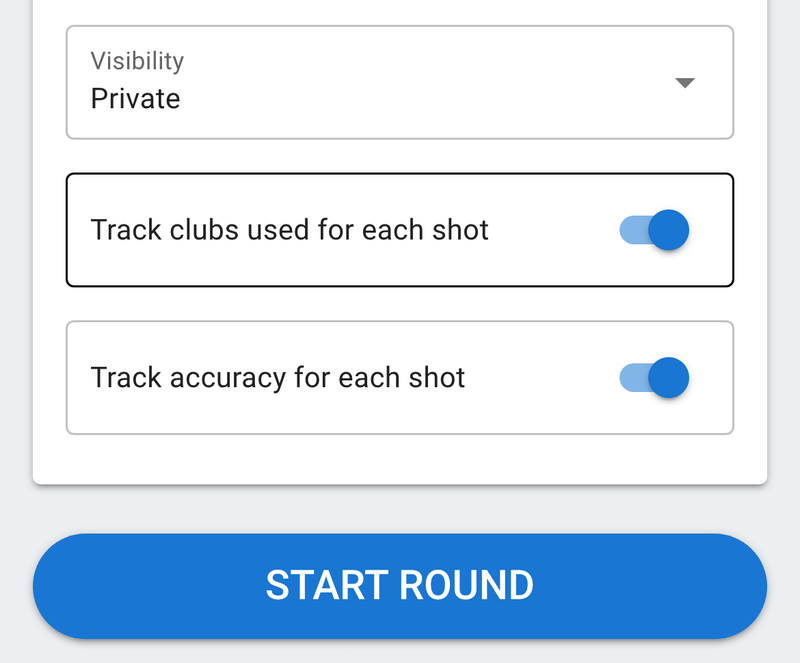
- No signal, no problem. You can enter scores, putts, and fairways hole by hole, or go full shot-by-shot with club, lie, distance, and accuracy, all with zero connection.
- It survives a crash or restart. If your phone dies on the 9th and you charge it at the turn, the round is still there when you reopen the app. If iOS or Android kills the app in the background, nothing is lost.
- It survives a flaky connection. A signal that flickers in and out mid-round will not corrupt or duplicate your card, because the card is not being written live to the cloud.
This is the part most people worry about, and it is the part that genuinely works in airplane mode. You can play five hours out of coverage and walk off with a complete round saved on your phone. If you are new to logging rounds this way, our guide to tracking a new round walks through the entry modes.
What waits until you reconnect
Two things in golfity need the internet, and neither of them needs it while you are playing.
Saving the round to your account. When you finish, the completed round syncs to your account so it shows up across devices and in your long-term stats. If you are still offline when you tap finish, the round stays safely on your phone, and you upload it once you have a signal, often as simple as reaching the clubhouse wifi or driving back into coverage.
Your strokes gained analysis. golfity calculates strokes gained on the server, comparing every shot against a benchmark drawn from Mark Broadie’s research. That math runs after the round uploads, so the four-category breakdown, off the tee, approach, around the green, and putting, appears once you reconnect. You can read more about what those numbers mean while you wait. The point is that the analysis is delayed, not lost.
One thing to do before you tee off
The single piece that genuinely needs a signal in advance is picking your course. Course search and tee data come from an online database, so if you are heading somewhere remote, set up the round before you leave coverage.
In practice: search and select your course and tees in the parking lot, on the range, or before you leave the house, while you still have a connection. Once the round is started, you are set for all 18 holes regardless of what your phone shows for bars.
The bottom line for dead-zone rounds
Offline golf score tracking in golfity means the work you do during the round, the part you cannot redo from memory three hours later, never depends on a connection. You enter it, it saves locally, and it stays put. Uploading the finished round and crunching your strokes gained both happen the moment you are back online.
Set the course up with a signal, play the round without one, and reconnect when you can. Your scorecard and every shot behind it will be waiting. For the full picture of what golfity tracks, see the features page.