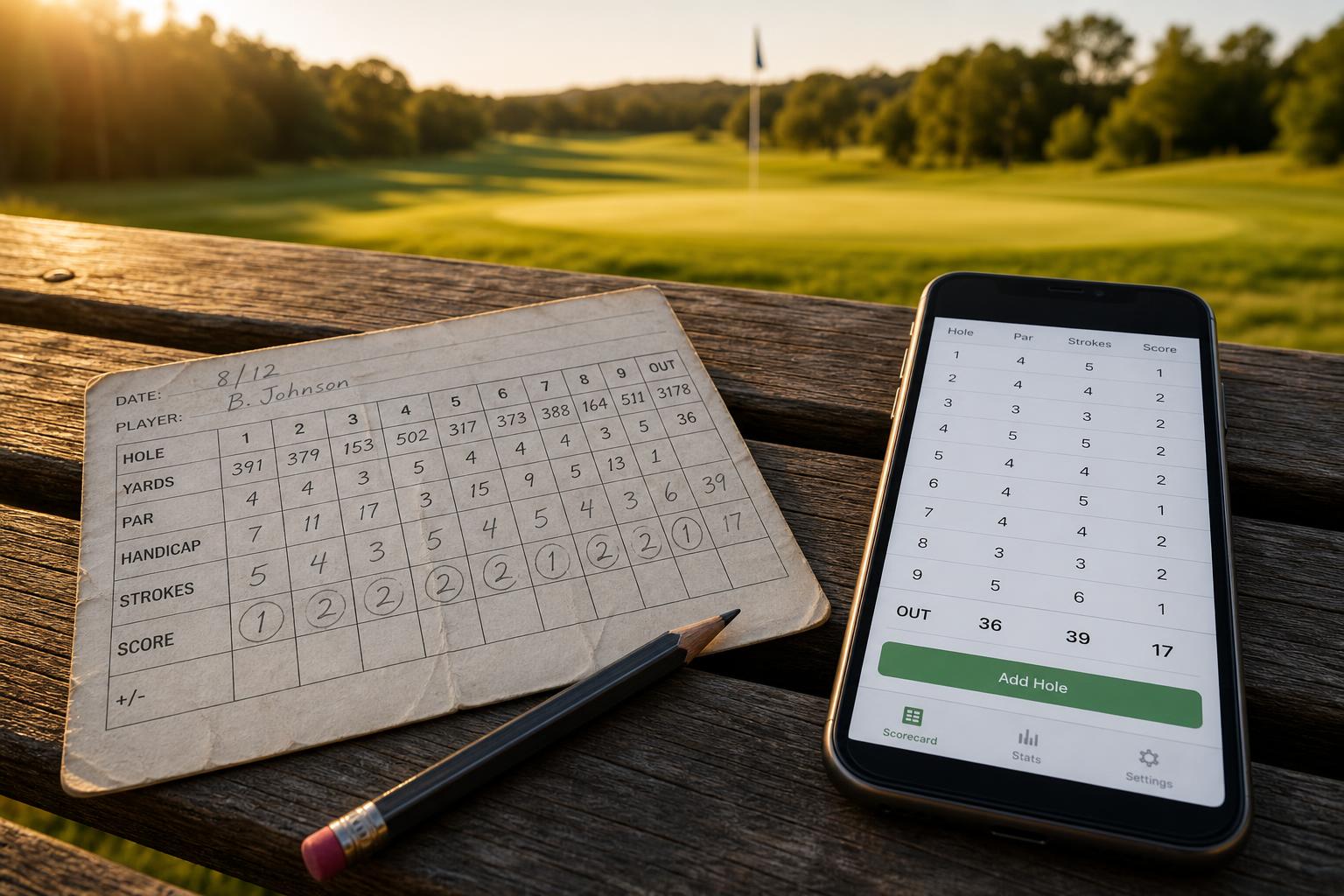
Golf GPS App vs Golf Stats App: What's the Difference?
GPS answers a question about distance. Stats answer a question about improvement. Most golfers have only ever installed one of the two — and it is usually the wrong one.
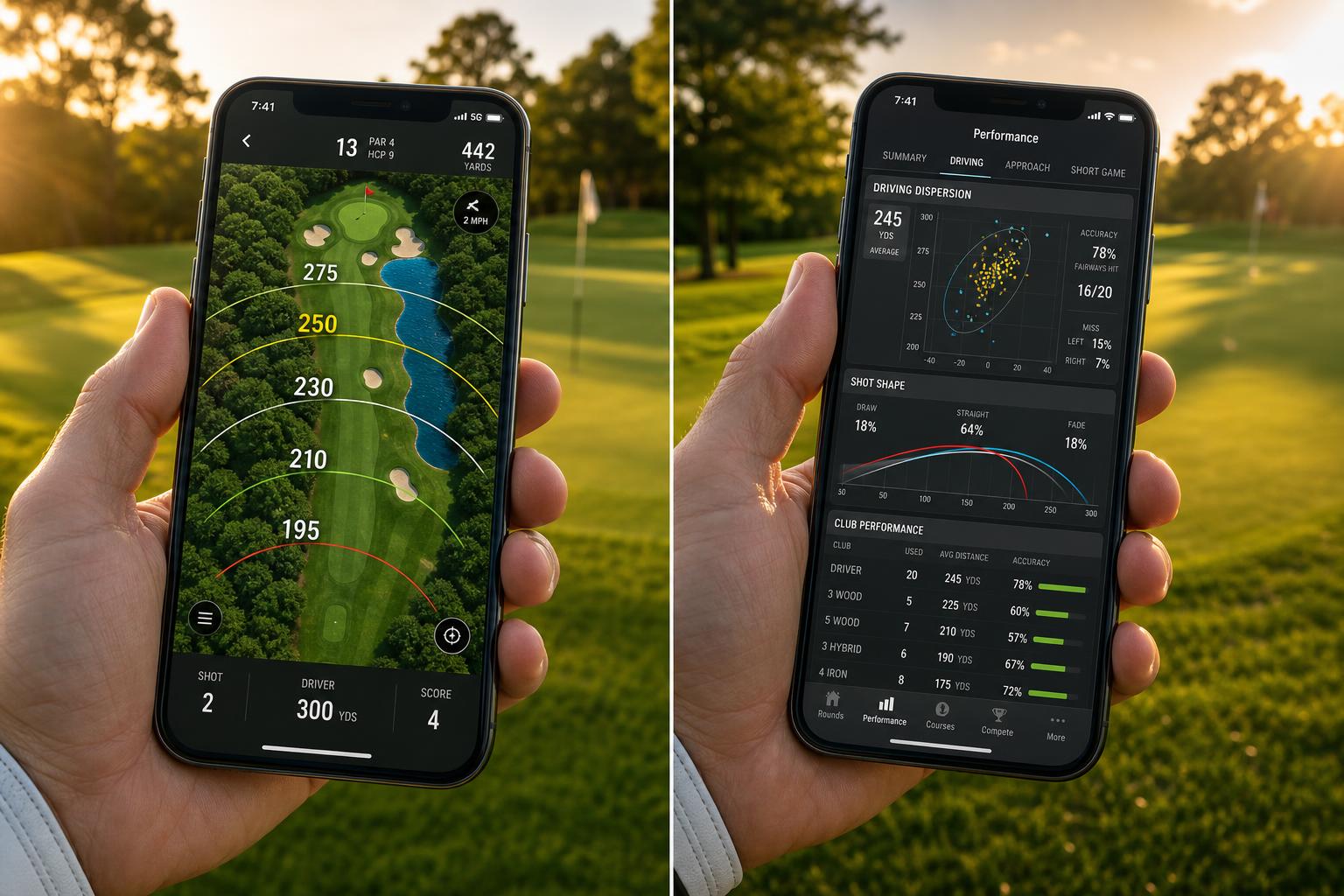
Open the App Store, type “golf,” and the top results split almost evenly between two categories: GPS apps that show you how far you are from the green, and stats apps that tell you why you shot what you shot. They look superficially similar — both run on your phone, both involve a golf course, both promise to lower your scores. They are not similar at all.
A golf GPS app is a measuring instrument. A golf stats app is a record-keeping and analysis instrument. They answer fundamentally different questions, and the most expensive mistake amateurs make is assuming that one is a substitute for the other. It is not. Knowing the distance to the front of the green has nothing to do with knowing which part of your game is costing you 4 strokes a round.
This post is the clean version of that distinction. What each tool does, what each tool cannot do, and how to think about which one (or both) belongs on your phone.
The Question Each Tool Answers
The simplest way to tell GPS from stats is to ask what question each one is trying to answer for the golfer standing in the fairway.
A golf GPS app answers: how far is this shot?
A golf stats app answers: what should I do differently next time?
Those are not the same question, and they are not even close. The first one is about the shot you are about to hit. The second is about every shot you have ever hit, and what those shots collectively are telling you about your game.
A GPS gives you a number in real time and then goes silent. A stats app builds a record across rounds that gradually turns into a coach. One is for the next 30 seconds of your golf. The other is for the next year.
What a Golf GPS App Actually Does
GPS apps use your phone’s location services to show distances to fixed points: the front, middle, and back of the green, hazards, layups, doglegs. The better ones overlay a satellite view and let you tap any point for a yardage. The best add elevation adjustments, wind, and a course-specific shot dispersion picker.
The core feature is always the same. You are standing on a piece of grass, and you want to know how far it is to a different piece of grass. The app reads your GPS coordinates, compares them to a stored map, and gives you a number.
There are a few things a GPS app does well:
- Distance to the green to within a few yards, anywhere on the course.
- Hazard distances so you know whether a bunker is in your carry range.
- Layup yardages for par 5s, with a simple tap to figure out where 80 yards out actually is.
- Hole maps for unfamiliar courses, so you don’t have to ask the group ahead what is around the dogleg.
For a golfer who plays a lot of unfamiliar courses, a GPS app is genuinely useful. It removes guesswork on the tee box, prevents you from running a 7-iron through the back of the green, and makes layups into a deliberate decision instead of a guess.
But a GPS app does not know what happened after you hit the shot. It does not know if you flushed it, chunked it, or missed the green right. It does not know which club you used. It does not know whether you holed the next putt or left it short. The moment the ball is in the air, the GPS app is done. It is a measurement of the situation, not a measurement of the result. That is a much lower ceiling than most golfers realize.
What a Golf Stats App Actually Does
A golf stats app does the opposite job. Instead of measuring the situation you are in before the shot, it records what happened after the shot — every shot, every hole, every round. Over time, those records become a dataset that can answer questions a GPS could never touch.
The core features of a modern golf stats app:
- Score tracking at the hole and round level, with totals, Stableford, net and gross.
- Shot-by-shot tracking capturing the start location, end location, and club used for each shot.
- Strokes gained analysis comparing every shot to a benchmark of how a typical scratch (or 10, or 20 handicap) player would have played it.
- Club performance showing your real distances and accuracy by club, derived from actual shots rather than guesses.
- Round-over-round trends that tell you whether your putting is genuinely improving or just having a good week.
- Leak detection that points to which 50 yards of the course is costing you the most strokes.
The difference is that a stats app is building a picture of your game across months and years. A GPS does not. The GPS forgets your last shot the moment you walk to the next one. A stats app remembers every shot you have ever logged and can compare today’s round to your last 30 rounds in a fraction of a second.
This is what makes a stats app the only tool that can actually help you improve. The GPS tells you the conditions of one shot. The stats app tells you the pattern of all of them.
The Overlap (Smaller Than It Looks)
A few apps in each category have tried to absorb the other. Some GPS apps now include rudimentary stat tracking — fairways hit, greens in regulation, putts per round. Some stats apps include basic distance-to-green features.
But the overlap is shallower than it looks. A GPS app that “also tracks stats” almost always tracks the old-school traditional stats: fairways, greens, putts. These numbers are, as we explained in strokes gained vs traditional golf stats, the lowest-resolution form of golf data. They tell you very little about why a round went badly. A stats app that “also has GPS” usually offers a static map with a few green-front yardages, not the live updating distance picker a dedicated GPS provides.
In practice, almost no app is genuinely excellent at both. The data models are different. A GPS app is optimized for fast, accurate distance reads. A stats app is optimized for capturing a structured shot record and crunching it into useful metrics. Try to do both in one interface and one part of the experience always suffers.
What GPS Cannot Tell You
Here is a list of questions a GPS app cannot answer, no matter how good the app or how long you use it:
- What was your average distance with a 7-iron over your last 20 rounds?
- Are you losing more strokes off the tee or on approach?
- Has your putting from 6 feet gotten better since the start of the season?
- Which club is your worst club, by strokes gained per shot?
- From 150 yards, do you actually leave it short more often than long?
- Of the 12 strokes you are over par on a given day, where did they come from?
- Are you a better wedge player than your handicap would suggest, or worse?
Every one of these is the kind of question a golfer trying to improve needs answered. A GPS app cannot answer any of them. Not because the apps are poorly built, but because GPS data is not the right kind of data for the question. You could use the best GPS app on the market for ten years and still have no idea whether your problem is approach play or putting.
This is the trap most amateurs fall into. They install a GPS app, get used to having yardages on their wrist, and assume they are “using technology to improve their golf.” They are improving their yardage decisions, which is a real but small benefit. The technology that actually moves the handicap needle is on the stats side.
What Stats Cannot Tell You (in Real Time)
Fair is fair: a stats app has its own ceiling. It cannot tell you, while you are standing in the fairway, how far it is to the front of the green. Most stats apps either don’t try, or include only a rough approximation. They are post-hoc tools by design — the information is for between rounds, not during them.
If you regularly play unfamiliar courses, or courses with blind shots and hidden hazards, a stats app alone is not enough. You will end up squinting at sprinkler heads. That is exactly the problem a GPS solves. Neither tool is universal — each one has a clean ceiling that the other tool happens to fill.
A Concrete Example: Same Round, Two Apps
Walk through a single hole as it appears in each app. A 410-yard par 4. You hit driver, pull it left into the rough. From there, 165 yards uphill to a back-right pin. You take a 7-iron, fade it nicely, but it lands 30 feet short and right of the pin. Two putts later, you walk off with bogey.
What a golf GPS app captured for that hole:
410 yards (tee). 165 yards remaining (second shot). 30 yards remaining (after second shot).
Three distance reads. The app helped you pick the right club for the second shot — a real contribution. But once the ball is on the green, the GPS goes silent. It does not know you bogeyed. It does not know your driver carry was 248 yards uphill. It does not know whether the 7-iron was a good shot or a bad one.
What a golf stats app (golfity) captured for the same hole:
Hole 7, Par 4. Score: 5. Shot 1: Driver, 248y, rough. Shot 2: 7-iron from rough at 165y, green 30ft from pin (SG Approach: -0.4 vs 10-handicap). Shot 3: Putt 30ft to 4ft (SG Putting: +0.1). Shot 4: Putt from 4ft, missed left (SG Putting: -0.7). Shot 5: Holed from 2ft. Hole strokes gained: -1.1, with -0.7 of that on the second putt.
Same hole. Same five strokes. But now there is a story. The bogey was not the driver’s fault. It was a 4-foot putt that was missed, and that miss alone accounts for nearly all of the stroke lost. The lesson for next week is not “work on driver.” It is “spend 20 minutes on 3-to-5-foot putts.”
A GPS app cannot tell you that. A stats app can tell you that, plus the same conclusion across the other 17 holes, plus the next 20 rounds. That is the difference in informational density between the two tools.
When You Actually Need Each One
A more honest decision framework, based on the kind of golfer you are right now:
You probably need a GPS app if:
- You play a lot of unfamiliar courses or are traveling for golf.
- Your home course has blind shots, hidden hazards, or no yardage markers in the rough.
- You routinely guess club selection based on the marker disk and feel it costs you shots.
- You are a beginner and just having distances at your wrist would make the round less stressful.
You probably need a golf stats app if:
- You are trying to lower your handicap and you do not have a clear answer to which part of your game is the leak.
- You have ever wondered what your real club distances are, as opposed to the carry distance you think you have.
- You have time to practice but no clarity on what to practice — see how to create a practice plan from your golf data.
- You want to see whether the work you have been putting in has actually moved the needle.
- You are willing to spend 3-5 minutes of cumulative tapping per round in exchange for a complete record of your game.
You probably need both if:
- You play unfamiliar courses and you are trying to improve. (This is most committed amateurs.)
- You have already used a GPS for years and feel ready to add a layer of analysis on top.
The two are not in competition. They cover different parts of the problem of “playing better golf.” A reasonable end state for most serious amateurs is to have one of each on the phone — a GPS app for in-round decisions, and a stats app for between-round improvement.
A Brief Note on “Smart” Devices and Wearables
A side category: shot-tracking sensors that screw into your grip, or watches that try to detect your swing and log the club. These are sometimes pitched as “the best of both worlds.” In practice, they are usually weaker than either a dedicated GPS or a dedicated stats app at the thing each was built for. They also require a meaningful up-front cost — typically $200-400 — and a commitment to that ecosystem. For a deeper comparison of these hardware-based options versus phone-only tracking, see Arccos vs Shot Scope vs golfity.
A phone-based stats app like golfity avoids this by using manual shot entry that you can dial up or down in detail. You can skip club selection and accuracy tracking and still get full strokes gained. Free hardware. Same data quality.
The Long View
In ten years, the apps on every serious amateur’s phone will look more like the stats side than the GPS side. GPS technology stopped being a moat the moment Apple Watch shipped with a built-in distance feature. The marginal improvement in analysis — better benchmarks, smarter leak detection, more useful practice recommendations — is still enormous.
If you are picking your first golf app today, pick one of each. Use the GPS to make better in-the-moment decisions on the course. Use the stats app to make better between-round decisions about your practice. Try the strokes gained calculator on a single recent round to see what kind of insight comes out of the data.
The yardage to the green is a question with a number. What should you work on this week? is a question with a real answer. Make sure you have the tool that can give you that answer too.